For iPad, iPhone & Apple Pencil

Colophon.

A quiet reading room for everything you save

Articles, books, and PDFs — set on a calm page, annotated in your own hand, remembered by an intelligence that never leaves the device.

Coming soon to the App Store

The colophon is the page at the back of a book that says how it was made — the type it was set in, the paper it was printed on. This app is named for it, because how a thing is read matters nearly as much as what it says. Colophon takes everything you mean to get to — articles saved from the web, books, PDFs — and gives each one the page it deserves: measured lines, quiet margins, a serif kept for the words.

Plate I

A page, properly set

Web articles, EPUB books, and PDFs each get a reader built for the format — with the same calm typography, the same highlights, the same ink. Line lengths the eye can track, and chrome that holds still.

Colophon’s reader on iPad in landscape: an article titled “The Quiet Power of a Well-Set Page” set in a large serif with generous margins, the library list alongside.
Plate I · The reader, on iPad

Plate II

A library that keeps itself

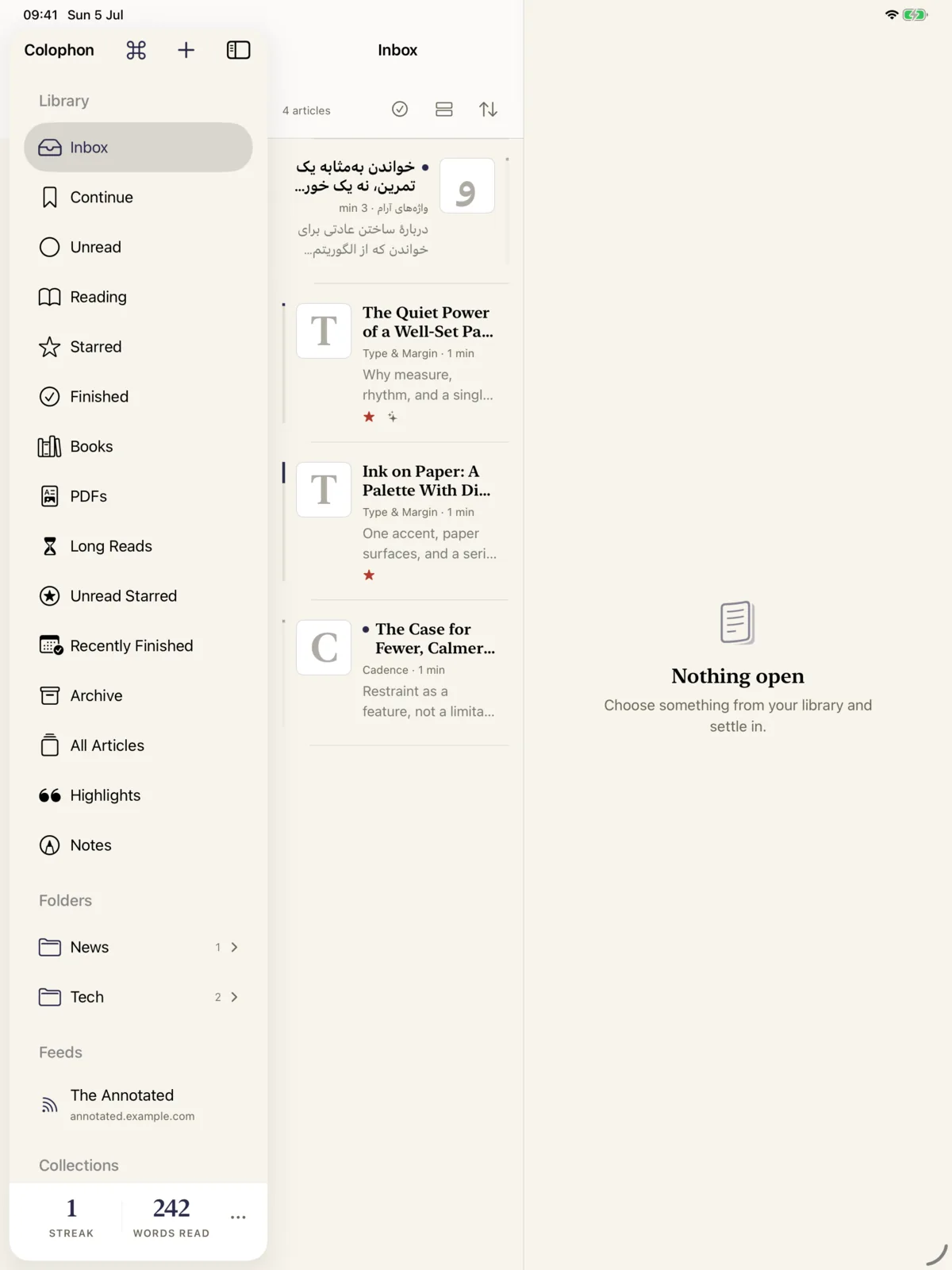
Inbox, folders, feeds, and collections — with every article arriving already extracted, filed, and indexed to the word. Feeds sync themselves, both ways, through your own Miniflux server if you run one.

At the bottom of the shelf: a reading streak and a words-read count that mind their own business.

The Colophon library sidebar on iPad: Inbox, Continue, Unread, Books, PDFs, Long Reads, folders and feeds, with a reading streak at the bottom.
Plate II · The library and its shelves

Plate III

Intelligence that stays home

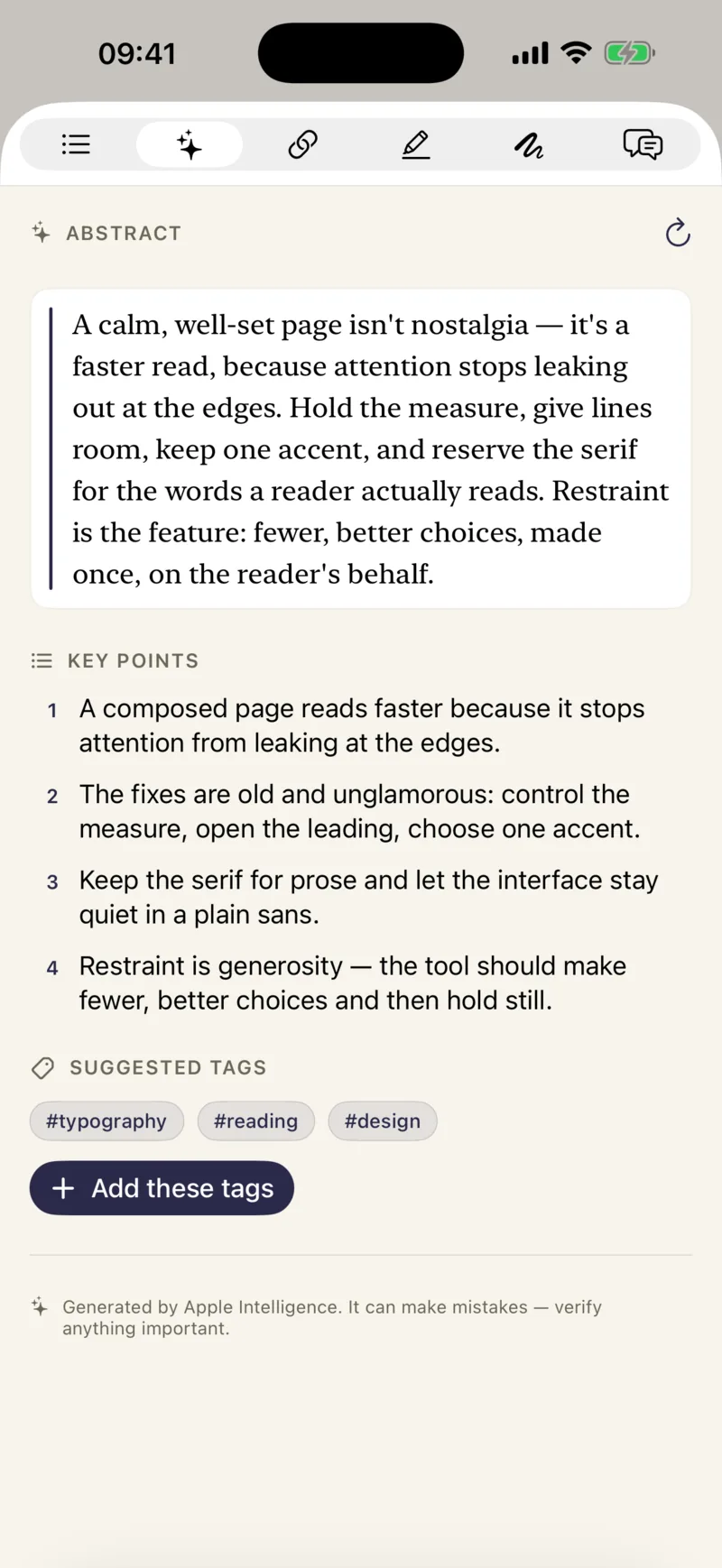
An abstract of every article. Key points, suggested tags, and answers drawn from your whole library — with citations back to the page. All of it written on the device, by Apple Intelligence.

There is no cloud model, no account, and no server. Nothing you read is sent anywhere.

On-device intelligence on iPhone: an abstract of the article, four key points, and suggested tags — typography, reading, design.
Plate III · An abstract, written on-device

Plate IV

Right to left, done right

خواندن به فارسی، همان‌طور که باید.

Farsi and Arabic articles are detected on arrival and set the way they should be — correct direction, correct typography, mirrored controls. Not translated interface strings bolted onto a left-to-right page; a reader that genuinely reads both ways.

A Farsi article on iPhone, set right-to-left with correct typography and mirrored reading controls.
Plate IV · A Farsi page, set properly

Plate V

The reading room, after dark

A true night setting — ink on slate, not white on black — for the hour when the house has gone quiet.

The Colophon library on iPhone in dark mode.
The reader on iPhone in dark mode: a serif headline and comfortable text on a near-black page.

Plate V · Library and reader, at night

Plate VI

Reading starts anywhere

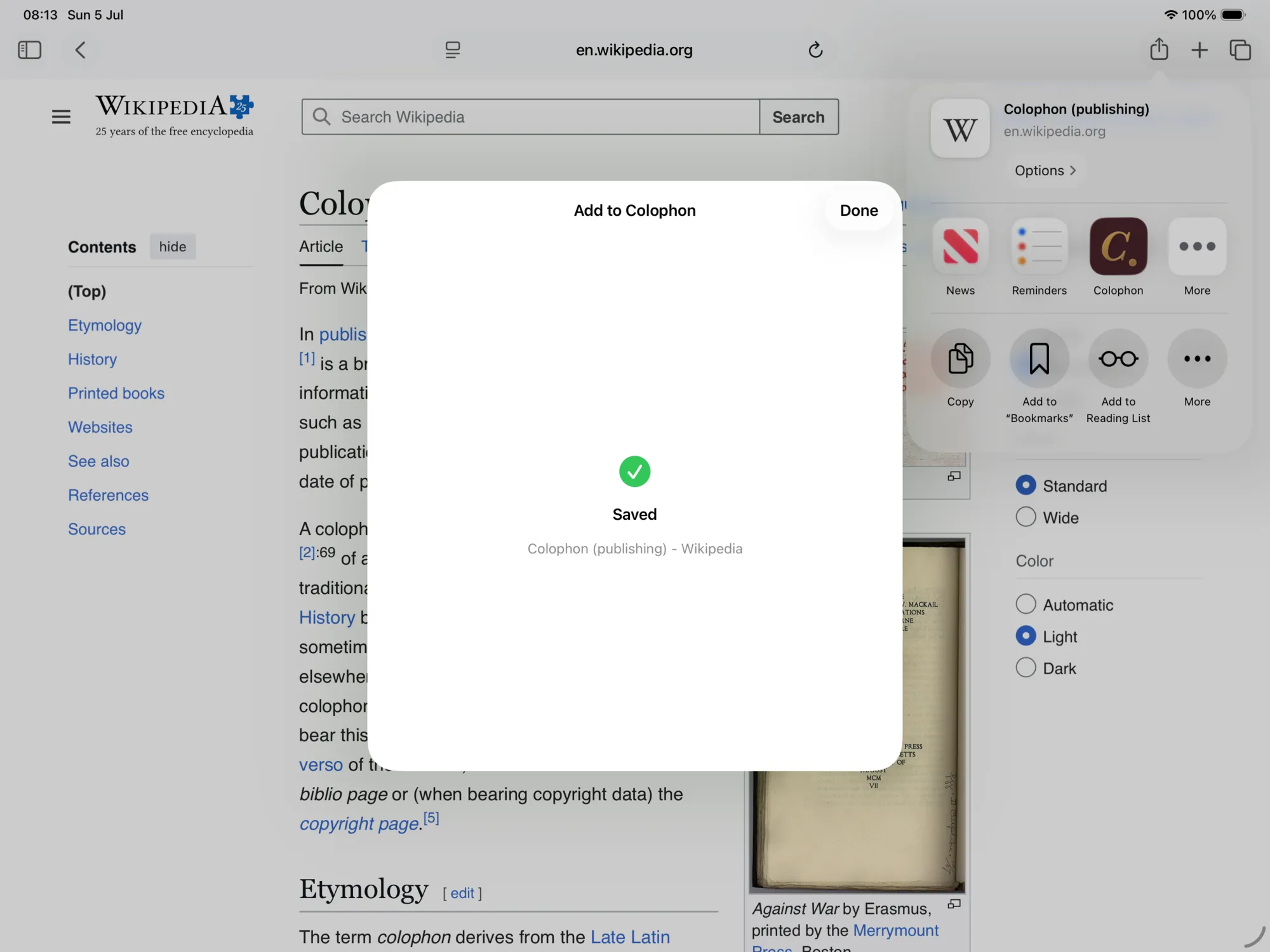
Share from Safari — or any app — and it’s on the shelf by the time you sit down: extracted, filed, indexed, and summarized. Drop in an EPUB or a PDF and it’s simply there.

Saving to Colophon from the Safari share sheet on iPad.
Plate VI · Saved from Safari, shelved in a second

Index

An index of everything else

Highlights
five inks, anchored to the words themselves — they survive reflow, resizing, and export
Apple Pencil
write in the margins; your ink follows the text and becomes searchable, like everything else
Ask your library
questions answered from what you’ve actually read, with citations — entirely offline
Read aloud
whole articles, with lock-screen controls and your place kept
Daily review
your best highlights, resurfaced each morning
Widgets
continue reading and your streak, on the Home Screen and Lock Screen
Knowledge graph
a map of what connects your reading — shared themes, your tags, even your handwritten notes
Search
full-text, instant, offline — across articles, books, PDFs, notes, and ink
Obsidian
every highlight and note exported to your vault, automatically, in clean Markdown
Miniflux
two-way feed sync with your own server — read states and stars travel both directions
Offline archive
pages saved whole, readable on a plane, immune to link rot
Translation
select a passage — or a whole article — to read it in your language, translated on the device
Scanned PDFs
OCR makes even scans searchable — and visible to the intelligence
Year in review
what you read, handsomely accounted
Backup
one file, everything in it, yours to keep

Privacy

Your reading is nobody’s business

  • No accounts, no analytics, no tracking of any kind — the app doesn’t know who you are, and neither do we.
  • The intelligence is Apple Intelligence, running on the device. There is no server your reading could be sent to.
  • Sync travels through your own iCloud; exports land in your own Obsidian vault. Your library was never ours to hold.

The privacy policy, in full — it’s short.

Coming soon to the App Store

Colophon is in the final stretch before release. Leave your address and you’ll get one email — the day it ships.

Get notified